
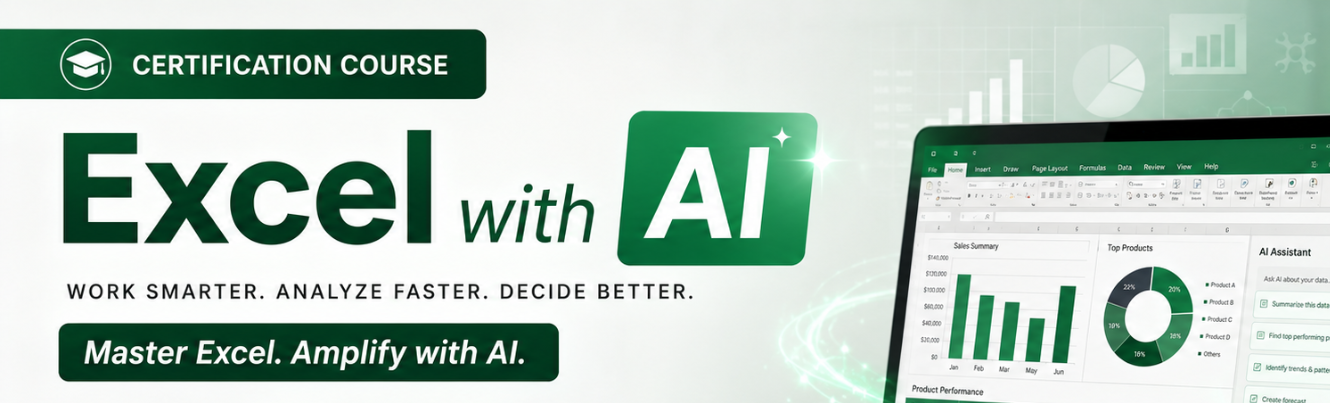
Excel with AI Certification Course

Excel with AI Certification Course

Excel with AI Certification Course

by
13 13 people viewed this event.

In today’s fast-changing digital workplace, Excel skills alone are no longer enough. professionals are expected to work faster, analyse data smarter, automate repetitive tasks, and create impact reports with greater efficiency. The integration of Artificial Intelligence (AI) with Microsoft Excel is transforming the way businesses handle data and decision-making.

The Excel with AI – 2 Day Course is designed to help participants combine the power of Excel with modern AI tools to improve productivity, accuracy, and reporting capabilities. This hands-on training program introduces practical techniques for using AI to simplify formulas, automate data cleaning, generate dashboards, create reports, analyse trends, and save value time in daily work

This course will help you upgrade your Excel skills for the Artificial Intelligence (AI).

Contents:

Day 1: Excel with AI & Data Analytics Fundamentals Day 2: Power BI & Business Intelligence


Session 1: Introduction to Data Analytics (1 Hour)

  • What is Data Analytics?
  • Types of Analytics:
    • Descriptive
    • Diagnostic
    • Predictive
    • Prescriptive
  • Analytics lifecycle
  • Business use cases across industries
  • Data-driven decision making

Session 2: Excel for Data Analysis (2 Hours)

Data Preparation

  • Importing data
  • Data cleaning techniques
  • Remove duplicates
  • Text to Columns
  • Flash Fill
  • Data Validation

Essential Excel Functions

  • IF, IFS
  • SUMIF, COUNTIF
  • XLOOKUP / VLOOKUP
  • INDEX & MATCH
  • TEXT functions
  • Date functions

Data Analysis Tools

  • Sorting & Filtering
  • Conditional Formatting
  • Pivot Tables
  • Pivot Charts
  • Slicers

Hands-on Exercise

  • Sales performance analysis
  • Customer segmentation
  • Regional profitability analysis

Session 3: AI-Powered Excel (2 Hours)

Microsoft Copilot in Excel

  • Natural language queries
  • Generating formulas using AI
  • Automated data summaries
  • Trend identification
  • Creating charts with AI assistance

AI Use Cases

  • Forecasting sales
  • Detecting anomalies
  • Data storytelling
  • Generating insights automatically

Generative AI for Analysts

  • Using AI to:
    • Create formulas
    • Write VBA scripts
    • Explain datasets
    • Generate reports

Hands-on Lab

  • Analyze a sales dataset using AI prompts
  • Generate executive summaries

Session 4: Data Visualization Best Practices (1 Hour)

  • Choosing the right chart
  • Dashboard design principles
  • KPI visualization
  • Storytelling with data

Mini Project

Create an Excel dashboard for management reporting.


Session 1: Introduction to Power BI (1 Hour)

  • Business Intelligence concepts
  • Power BI ecosystem
  • Desktop vs Service
  • Power BI workflow

Session 2: Data Modeling in Power BI (2 Hours)

Data Connectivity

  • Excel
  • CSV
  • Databases
  • Web data sources

Power Query

  • Data cleaning
  • Transformations
  • Merge queries
  • Append queries

Data Modeling

  • Relationships
  • Star schema
  • Fact and dimension tables

Hands-on Exercise

Build a clean data model from raw business data.

Session 3: DAX Fundamentals (1.5 Hours)

Key DAX Concepts

  • Measures vs Calculated Columns
  • Aggregations
  • Filter Context

Common DAX Functions

  • SUM
  • CALCULATE
  • DISTINCTCOUNT
  • TOTALYTD
  • RANKX

Hands-on Practice

Create KPI calculations and business metrics.

Session 4: Power BI Dashboard Development (2 Hours)

Visualizations

  • Bar, Line, Pie, Treemap
  • Maps
  • KPI Cards
  • Tables & Matrix

Interactive Features

  • Slicers
  • Drill-through
  • Bookmarks
  • Tooltips

Dashboard Design

  • Executive dashboards
  • Sales dashboards
  • HR dashboards

Hands-on Exercise

Build an interactive business dashboard.

Session 5: Publishing & Sharing Reports (30 Minutes)

  • Publishing to Power BI Service
  • Workspace management
  • Sharing dashboards
  • Scheduled refresh
  • Security and permissions

Capstone Project (1 Hour)

Business Scenario: Retail Sales Analytics

Participants will:

  1. Clean data in Excel.
  2. Use AI to generate insights.
  3. Create Pivot Tables and dashboards.
  4. Import data into Power BI.
  5. Build a data model.
  6. Create DAX measures.
  7. Develop an interactive executive dashboard.
  8. Present business recommendations.


Who should attend: Accountant, Analyst, HR Executive, Sales Professional, Business Owners, Student, Working Professional, Marketing, HR, Finance, Admin, Operations, Purchase, Logistics.

Trainer Profile: Yogini Bagade is highly experienced corporate trainer with extensive expertise in Microsoft Office Suite, Advanced Excel, Power BI, VBA Automation, and various data analytics tools.

With a strong training portfolio across leading organizations such as Infosys, Bank of America, HPCL, L&T, Bajaj Finserv, Reliance, and many more, she has delivered impact programs in data analysis, reporting automation, dashboards, and Office 365 with AI.

She also brings rich academic experience as a visiting faculty at prestigious institutes. including ICAI Pune, MIT, CDAC, PIBM, and SIMS. Certified as a Microsoft Office Specialist (Excel Expert).

Ms. Yogini blends technical mastery with strong communication and soft skills training, making her a highly sought-after trainer for corporate and academic programs.

Delivery:  ZOOM Meeting

Participation Fee :

Members Rs. 10,000 + 18% GST
Non-Members Rs. 12,000 + 18% GST
Bank Details for NEFT
Account No. 10996680930
IFSC CODE SBIN0000300
Bank Name State Bank of India
Branch Address Mumbai Main Branch

Participation only through advance registration (Batch size 20 participants only)

Cheque /Demand Draft should be drawn in favor of “BOMBAY CHAMBER OF COMMERCE AND INDUSTRY”

Kindly mail your registration (Name, Cell no, Email Id and GST No) on revati.khare@bombaychamber.com

Contact Details :

Revati Khare || DEPUTY  DIRECTOR
Email : revati.khare@bombaychamber.com
Mobile No : 9892029473

Additional Details

Organizer name -

Venue Name -

Event Fees Type

Event or Seminar - Training

To register for this event please visit the following URL: https://zfrmz.in/Q2Oc8K4Mb9gvdAx0jO8l →


Date And Time

Tuesday, June 30, 2026 10:00 AM to
Wednesday, July 1, 2026 05:00 PM
 

Registration End Date

Monday, June 29, 2026
 

Location

Online event
 

Event Types


Event Category

Share With Friends

MSME Toolkit
instagram default popup image round
Follow Me
502k 100k 3 month ago
Share