

 Login
Login
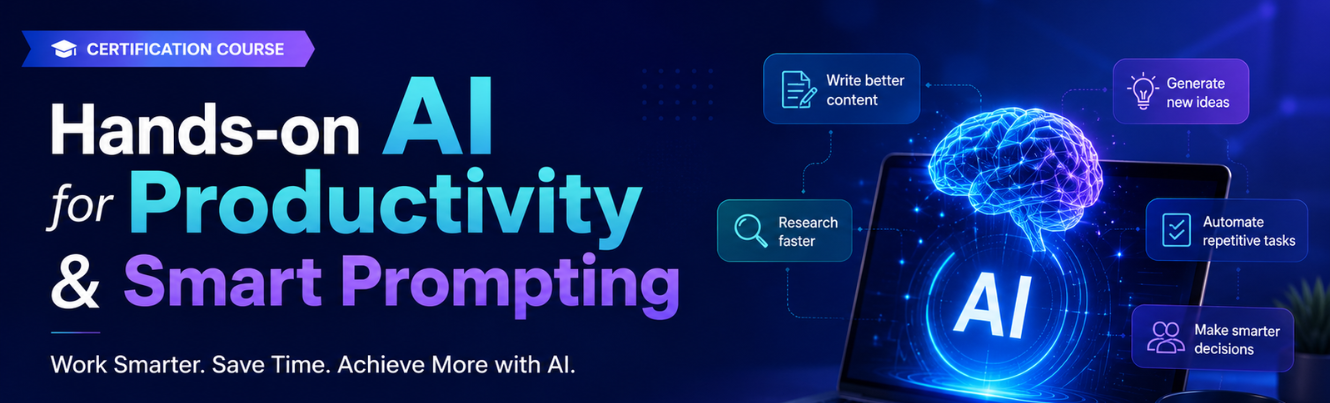
Program Goals:
· Build an AI Productivity Mindset — Help professionals across all roles, functions, and industries develop a practical, confident approach to integrating AI tools into their daily work routines to achieve more in less time.
· Master Smart Prompting — Equip participants with a deep, structured understanding of prompt engineering — from foundational principles to advanced techniques — enabling them to get consistently high-quality, reliable outputs from any AI tool.
· Drive Measurable Productivity Gains — Enable participants to identify and eliminate time-consuming, repetitive tasks in their specific role and replace or augment them with AI-assisted workflows that save hours every week.
· Build a Personal AI Productivity System — Help each participant design and implement a personalised AI productivity stack tailored to their role, industry, and daily workflow — creating lasting professional impact beyond the programme.
Program outcomes — Participants will be able to
· Explain how AI tools can augment professional productivity across different roles and industries
· Apply a structured prompting framework to get high-quality, reliable outputs from ChatGPT, Gemini, Copilot, and other AI tools
· Use advanced prompting techniques — chain-of-thought, few-shot, role prompting, and structured output prompting
· Automate and accelerate daily professional tasks — writing, research, analysis, reporting, communication, and planning
· Build a personal AI productivity workflow tailored to their specific role and industry context
· Evaluate and select the right AI productivity tools for their professional needs and budget
· Measure and communicate productivity gains from AI adoption to their team and leadership
Day 1: Theme: AI Productivity Foundations & Smart Prompting Mastery
Module 1: AI Productivity — Landscape & Mindset
· The AI productivity revolution — what has changed and why it matters for every professional.
· AI productivity tools landscape — ChatGPT, Gemini, Microsoft Copilot, Claude, Perplexity, Notion AI, and more.
· How AI augments rather than replaces professional work. Productivity gains by function — writing, research, analysis, communication, planning, coding, design, and administration.
· Common barriers to AI productivity adoption — trust, skill gaps, tool overwhelm, and organisational resistance.
· The AI productivity mindset — experimentation, iteration, and continuous improvement. Cross-industry productivity use cases — legal, finance, HR, marketing, engineering, education, healthcare, and consulting.
Tools: ChatGPT (free), Gemini (free), Microsoft Copilot (free tier), Perplexity AI (free
Module 2: Smart Prompting — Foundations & Frameworks
· What is a prompt and why prompt quality determines output quality.
· Anatomy of an effective prompt — Role, Context, Task, Format, Constraints, and Examples (RCTFCE framework).
· Common prompting mistakes and how to fix them. Zero-shot vs one-shot vs few-shot prompting. Role prompting — assigning expert personas to AI for domain-specific outputs.
· Format prompting — specifying tables, bullet points, reports, emails, JSON, and structured outputs. Iterative prompting — refining outputs through follow-up instructions. Cross-functional prompt examples — legal brief, financial summary, HR policy, engineering report, marketing copy, and academic content
Tools: ChatGPT (free), Gemini (free), Microsoft Copilot (free tier), Google Docs (free)
Module 3: Advanced Prompting Techniques
· Chain-of-thought prompting — guiding AI through step-by-step reasoning for complex tasks.
· Tree-of-thought prompting — exploring multiple solution paths simultaneously.
· Structured output prompting — generating consistent, machine-readable outputs. Prompt chaining — connecting multiple prompts into a sequential reasoning pipeline.
· Negative prompting — telling AI what NOT to do for tighter output control. Meta-prompting — using AI to improve your own prompts.
· Prompt templates and reusable prompt libraries for professional use.
· Cross-industry advanced prompting examples — financial modelling reasoning, legal argument construction, engineering troubleshooting, HR competency mapping, and academic lesson design.
Tools: ChatGPT (free), Gemini (free), Claude (free tier), Notion AI (free tier)
Module 4: Building a Personal Prompt Library
· Why every professional need a personal prompt library.
· Structuring and organising prompts by function, task type, and output format.
· Prompt versioning — tracking and improving prompts over time.
· Sharing prompt libraries within teams and organisations.
· Prompt library tools and platforms — Notion, Google Docs, Prompt Base concepts. Building role-specific prompt collections — writing prompts, analysis prompts, communication prompts, planning prompts, and research prompts.
· Evaluating prompt effectiveness — consistency, accuracy, relevance, and time saved.
Tools: ChatGPT (free), Gemini (free), Notion (free tier), Google Docs (free)
Day 2: Theme: AI-Powered Workflows, Domain Applications & Personal Productivity System
Module 5: AI-Powered Writing & Communication
· Using AI for professional writing across all formats — emails, reports, proposals, presentations, SOPs, policies, meeting summaries, and social media content. Tone calibration — formal, conversational, persuasive, empathetic, and technical writing with AI.
· AI for multilingual communication — drafting and translating professional content. Editing and proofreading with AI — improving clarity, conciseness, and impact.
· Humanising AI-generated content — maintaining authentic professional voice.
· Cross-industry writing applications — legal drafting, financial commentary, HR communications, engineering documentation, marketing copy, academic content, and consulting deliverables.
Tools : ChatGPT (free), Gemini (free), Microsoft Copilot (free tier), Grammarly (free tier), Google Docs (free)
Module 6: AI for Research, Analysis & Decision Support
· Using AI for rapid research and information synthesis across professional domains. AI-assisted data analysis — summarising datasets, identifying patterns, and generating insights from structured and unstructured data.
· Literature and market research with AI — Perplexity, ChatGPT with browsing, and Google Gemini.
· Competitive intelligence and benchmarking using AI. AI for decision support — generating options, evaluating trade-offs, and stress-testing assumptions.
· Critical evaluation of AI-generated research — fact-checking, source verification, and bias awareness.
· Cross-industry research and analysis applications — legal precedent research, financial due diligence, HR benchmarking,
Tools: ChatGPT (free), Perplexity AI (free), Gemini (free), Google Sheets (free), Copilot (free tier)
Module 7: Building a Personal AI Productivity System
· Designing a personal AI productivity system — mapping daily workflows and identifying AI integration points.
· Selecting the right AI tools for each task type and professional context.
· Building daily AI routines — morning planning, task prioritisation, communication processing, and end-of-day review.
· AI tool stacking — combining multiple AI tools into a seamless productivity workflow. Measuring productivity gains — time tracking, output quality benchmarking, and self-assessment.
· Staying current with rapidly evolving AI tools — trusted sources, communities, and continuous learning habits.
· Organisational AI productivity — rolling out AI productivity practices across teams and departments.
Tools: ChatGPT (free), Gemini (free), Notion (free tier), Google Calendar (free), Make.com (free tier — workflow automation)
Module 8: Capstone — AI Productivity Showcase & Certification
· Bringing it all together — from smart prompting to a complete personal AI productivity system.
· Responsible AI productivity — data privacy, confidentiality, and ethical use of AI tools in professional contexts.
· Sharing AI productivity practices with colleagues and building team-level AI capability. Avoiding AI productivity pitfalls — over-reliance, quality drift, and privacy risks. Future of AI productivity — what professionals need to prepare for as AI tools evolve.
· Q&A, peer showcase, and programme wrap-up. Certificate briefing and next steps.
All tools used across both days
Trainer Profile: Meenakshi Sundaram is a Senior AI Consultant, Corporate Trainer, and Developer Enablement Specialist with 24+ years spanning enterprise IT, AI Engineering, Academic Leadership, and Global training delivery.
Expert in bridging AI theory with enterprise implementation, designing and delivering hands-on programs for developers, architects, and leadership teams across 4 continents.
Deep technical foundation in LLM architectures, Agentic AI, RAG pipelines, GitHub Copilot, and ISO AIMS governance. Trusted advisor on responsible AI adoption and digital transformation at scale.